
1.7 KiB
Laravel Leaflet JS - Example
This is an example project for Leaflet JS{:target="_blank"} and OpenStreetMap{:target="_blank"} built with Laravel 5.7.
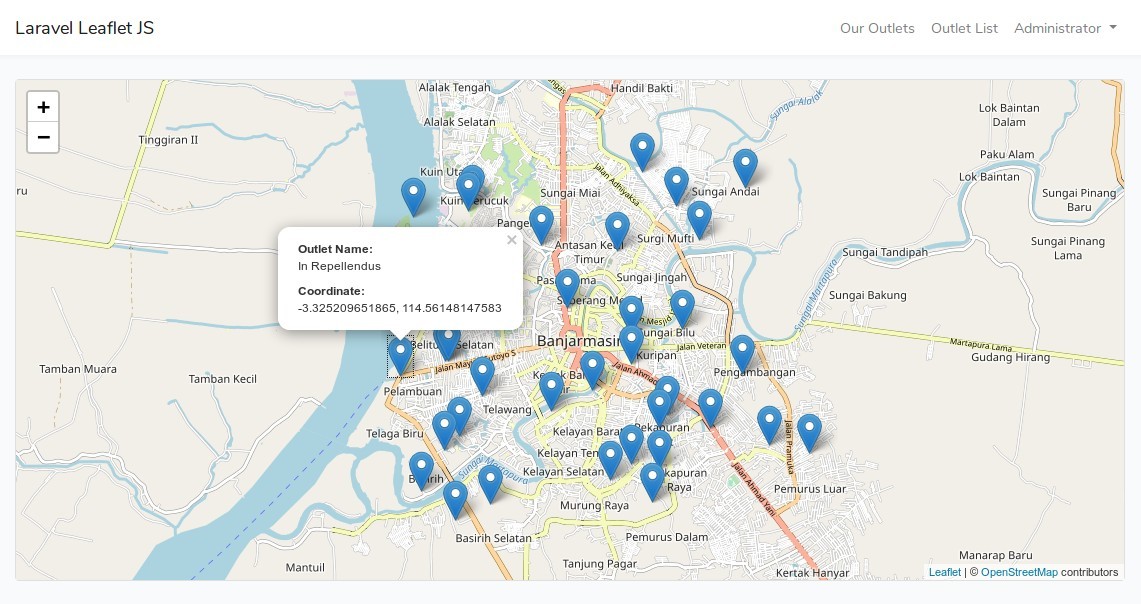
Features
In this project, we have an Outlet Management (CRUD) with localtion/coordinate point that shown in map. We also have coordinate entry with direct map pointing on Outlet Create and Edit form.
Installation Steps
Follow this instructions to install the project:
- Clone this repo.
$ git clone git@github.com:nafiesl/laravel-leaflet-example.git $ cd laravel-leaflet-example$ composer install$ cp .env.example .env- Set database config on
.envfile $ php artisan key:generate$ php artisan migrate$ php artisan serve- Open
https://localhost:8000with browser.
Demo Records
If we need some outlet demo records, we can use model factory within tinker:
$ php artisan tinker
>>> factory(App\Outlet::class, 30)->create();
Leaflet config
We have a config/leaflet.php file in this project. Set our zoom_level, and map center default coordinate here.
<?php

return [
    'zoom_level'           => 13,
    'detail_zoom_level'    => 16,
    'map_center_latitude'  => '-3.313695',
    'map_center_longitude' => '114.590148',
];
Please not that this is not an official or required config file from Leaflet JS, it is just a custom config for this project.
Testing
Run PHPUnit to run feature test:
$ vendor/bin/phpunit
License
Copyright (C) 2018 Nafies Luthfi.
Please use and re-use however you want.